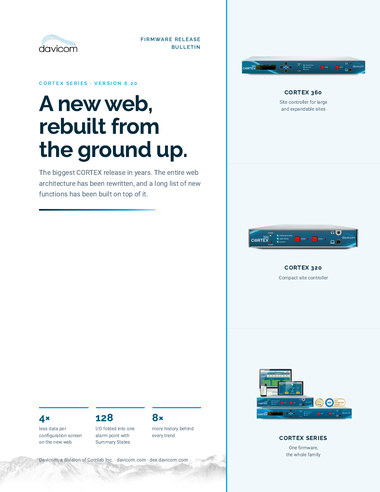
CORTEX firmware 6.20 is the most significant release in years. The entire web
architecture has been rewritten, and a long list of new functions has been built on top of it. It is
on DEX
now, the upgrade is free, and it is the same release for the CORTEX 320 and the CORTEX 360.
A new web server, rebuilt from the ground up
Almost everything else in version 6.20 sits on top of this one change. We rebuilt the CORTEX web
interface from the ground up. The screens you know are still the screens you know. The engine
underneath them is new.
The difference shows up first on the backhaul links where data throughput is expensive: a cellular
modem on a mountaintop, a satellite backhaul, a VPN that adds latency to every single request. The
browser now holds far more of the interface in memory, the data format behind the configuration
screens is leaner, and there are fewer round trips to load a screen.

Measured on firmware 6.20.1227 against 6.16.40, same unit and configuration:
|
4.0×
less over the link, compressed
12.32 KB → 3.09 KB |
3.2×
less raw, before compression
48.67 KB → 15.3 KB |
3.0×
fewer HTTPS requests to load
122 → 41 requests |
Your own figures will vary with the size of your configuration. The new web server also gives our engineering team more freedom in how screens are designed, so new functions will reach your sites sooner.
What else is new
Summary States
A Summary State collects up to 128 I/O points into a single reading that goes active as soon as any member of the list goes active. One per shelter turns a 200-point site into a handful of lines on a dispatch screen. Up to 32 per unit, and each one behaves like a normal I/O point, so it can be alarmed, logged, trended and read via SNMP like anything else.

Eight times the log memory
A CORTEX unit shares one pool of sample memory across all of its custom logs. In version 6.20 that pool has expanded eightfold, from 1,024 samples to 8,196, on the same hardware, with no option to buy. Two new controls, Inhibit State Change Logging and Inhibit Logging, keep the noise out so the memory holds what actually matters.
Alarm Call Instructions
64 sets of 256 characters, attached to any alarm call. The operator who takes the call at 3 a.m. reads exactly what you want done about that alarm, on that site. No instruction binder to hunt down, and nobody has to wake up the one person who knows the site.
Stop memorizing I/O numbers
Any field that expects an I/O identifier now opens a search panel. Pick the category, type part of the description, select from the list. It saves time on every screen, and it removes the most common source of configuration errors: the right function pointed at the wrong point.

A MIB browser built into the unit
Integrating a third-party device used to mean opening its MIB in a separate browser on a PC and transcribing the OID by hand. Load the MIB into the CORTEX unit and you can now browse it right there. Select an object and its OID, entry name, value type and description come with it.
A real toolbar in the Workspace editor
Building a site mimic is now a drawing job. A proper tool palette runs down the left edge of the editor: shapes, logic symbols, lines, text, images, meters, status indicators and live I/O boxes, with undo, redo, save, open and download always within reach.
Bulk configuration by CSV Licensed option
Export the current configuration, edit hundreds of rows in a spreadsheet, import it back. For a network where every site carries the same 200 OIDs with a different IP address, this is the difference between an afternoon and a week. Contact dvsales@davicom.com for availability on your units.
Stronger security
All default passwords have been removed. On the first connection to a new unit, or after a factory reset, a fresh user-generated password must be set for the Director user before start-up can continue. Upgrading an existing unit keeps its users and passwords as they are. SNMPv3 authentication now supports HMAC-SHA-224, 256, 384 and 512, and privacy adds AES192 and AES256, algorithms a security team will recognize on an audit sheet.
Get firmware 6.20
Version 6.20 and the full release notes are on DEX. The upgrade is free, and it keeps your users and passwords as they are.
Download firmware 6.20 →
Read the full release bulletin (PDF) →
This post was produced with the help of AI and validated by the Davicom team.